

Design guidelines for welded sheet metal parts and assemblies.
Here you'll find important specifications for defining and designing weld seams for sheet metal parts and assemblies.
1. Define a weld seam
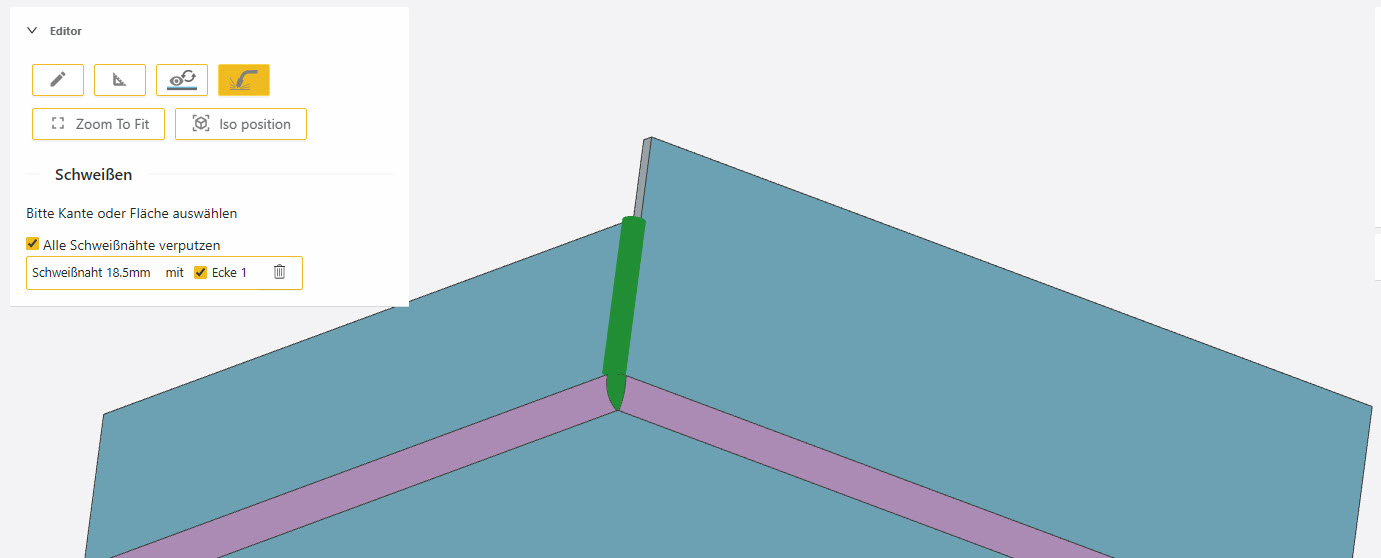
To do so, open the item in Blexon's CAD editor and select the welding tool:
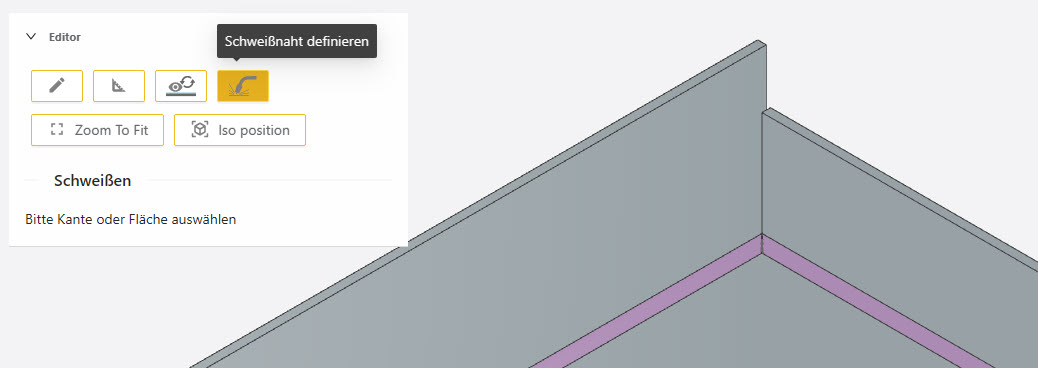
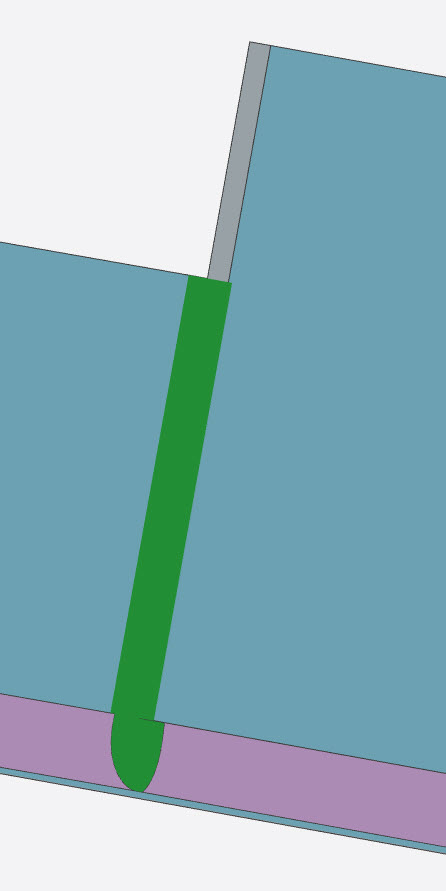
To define a weld seam, select the two adjacent faces. Blexon automatically detects the edge and displays the weld seam. The length of the seam automatically corresponds to the shorter of the two adjacent edges.
In this video we show how easy it is to define a weld seam at Blexon by selecting the two adjacent faces.
 By playing, YouTube is loaded and you agree to its cookies.
2. Welding corners
If a weld seam borders a corner, you can specify whether it is also welded. To do so, click the selection box for the respective weld seam. The model shows in each case whether the corner is welded or not.
If the selection box is not active, the corner cannot be welded. This is because the relief for the bend lines was designed too large.
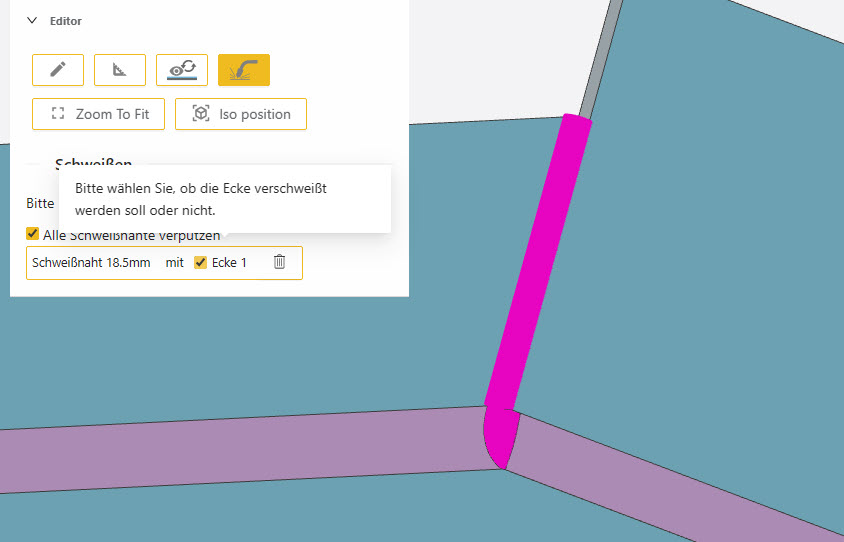
Weld corner: selected
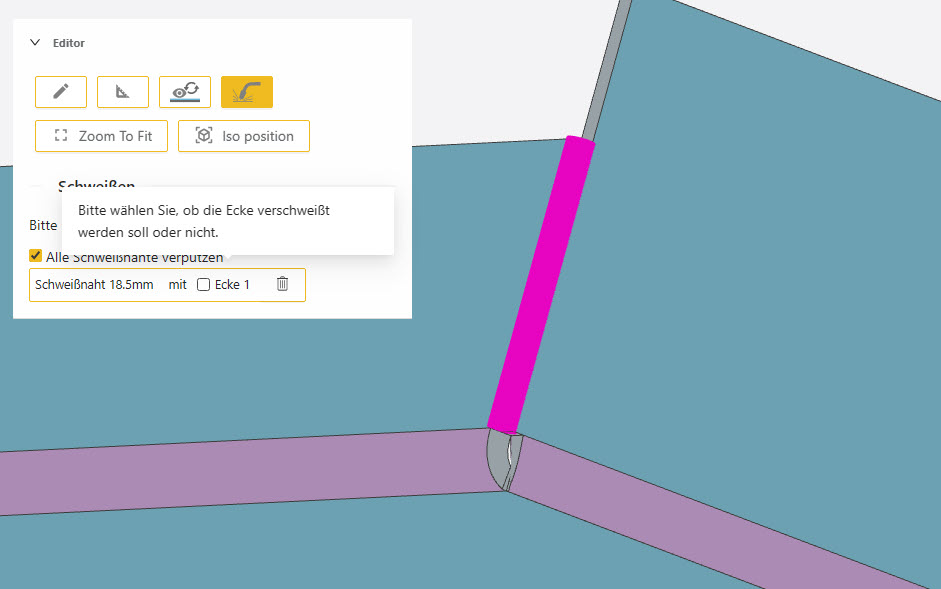
Weld corner: not selected
3. Designing corners correctly
In Blexon's integrated CAD, you can choose whether the corners adjacent to a weld seam should also be welded or not. For corners to be welded reliably, the reliefs at the intersection points of the bend lines must not be designed too large. The following unfolding shows an ideally designed relief to be able to weld the corner afterwards.

A V-shaped relief closes the corner after bending so well that the remaining space can be welded and – if desired – ground.
4. Grinding the weld seam
By default, weld seams are ground, which creates a uniform surface. Note that grinding can affect the strength of the weld seam.
If you don't want that, or if you want to avoid the cost of grinding, you can change the setting for all weld seams in the model together. It is not possible to leave only certain weld seams unground.

5. Maximum gap width by material
The possible gap width depends on the material thickness. You'll find the details in the following table.
6. Welding sides / bends
Very often, bent sides of sheet metal parts are welded. For example, a side edge like the following can be welded.
Make sure the sides do not overlap completely. Ideally, one side only reaches to the middle of the sheet thickness of the adjacent side.
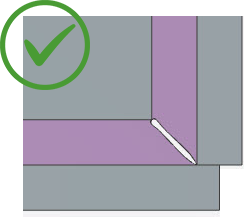
This construction is ideal for welding on the outside. The second side only reaches to the middle of the sheet thickness of the adjacent side. An external weld seam thus achieves the greatest possible strength. If the weld seams are ground, a rounded “corner” is created on the outside.
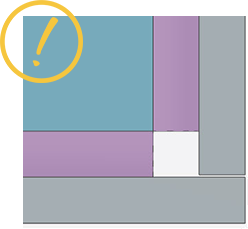
This construction can generally be welded, but with limited strength for external welding. An unground weld seam protrudes. A ground weld seam is extremely thin, because the material cannot be welded deeply but only at the surface.
